Fewer unnecessary trips
Read the request and its location before you go. Bring the towels, prepare the drink, or send the right colleague instead of making a first trip just to ask.
OBEDIO Crew
Know what the guest needs before leaving the pantry. OBEDIO Crew brings requests, responsibility and service status together on phones, watches and a shared dashboard.
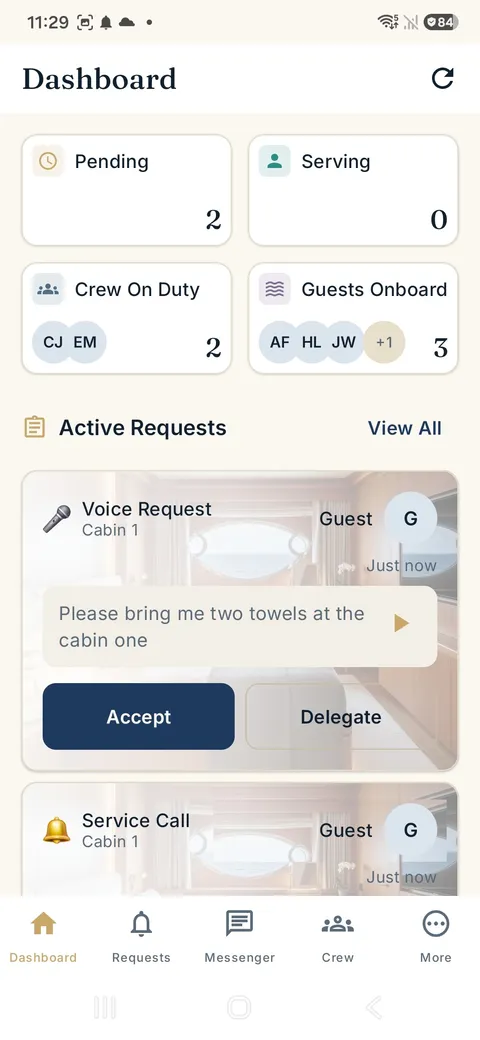
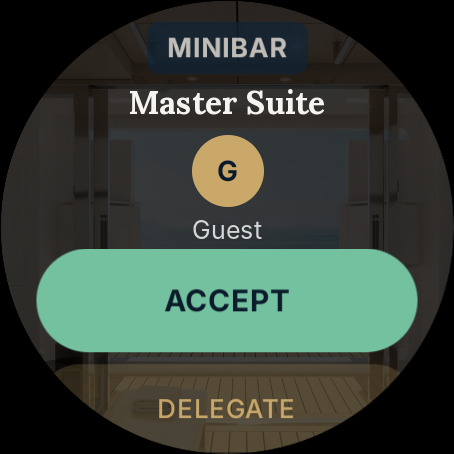
Read the request and its location before you go. Bring the towels, prepare the drink, or send the right colleague instead of making a first trip just to ask.
Accept or delegate the request. A visible status lets the team see who is handling it, reducing duplicate responses and the question: has anyone taken this?
Duty rosters, request status and escalation help keep service organised. Unanswered requests can reach the next responsible crew member rather than disappearing into a busy shift.

For Crew
Built by someone who was crew. Ten years as an ETO on superyachts. Every frustration, every workaround, every "why doesn't this exist" moment became OBEDIO.

With an optional earpiece connected to the watch, the request is read straight into your ear. No screen. No stopping. No looking at your wrist.

The full request is on your watch before you move, translated for you. Several transcription models cross-check every word. The guest profile, preferences, dietary needs and location come with it. You arrive prepared, not guessing.
Hands full, carrying a tray, mid-service. A request comes in. Shake your wrist to take it. No screen, no tapping.
Everyone keeps their own device. When your shift starts, requests route to you. When it ends, they stop.
No response? It alerts again, then supervisors and heads of department, then the whole crew. Timeouts and roles are configurable. A request cannot fall through.
Messages and announcements from a watch, phone or browser, discreetly, over the yacht's own network.
The optimised Wear OS crew watch runs for days on a single charge. Not another thing to charge every night.
Every request is logged: who answered, how long it took and what happened.

Each request arrives as a card with the transcript, location and priority. Accept with one tap or delegate.

Name, cabin, dietary needs, allergies, VIP status and stay status. Every crew member knows who they are serving.

Every SmartButton and watch on one screen: battery, connection and last seen, so a problem is found before a guest finds it.

Decks, cabins and outdoor areas. Buttons and guests are assigned to locations, so crew know exactly where to go.
The shared dashboard
The watch keeps a request close. The phone gives you the detail. The dashboard brings service requests, duty status, guest context and device health together for the team.
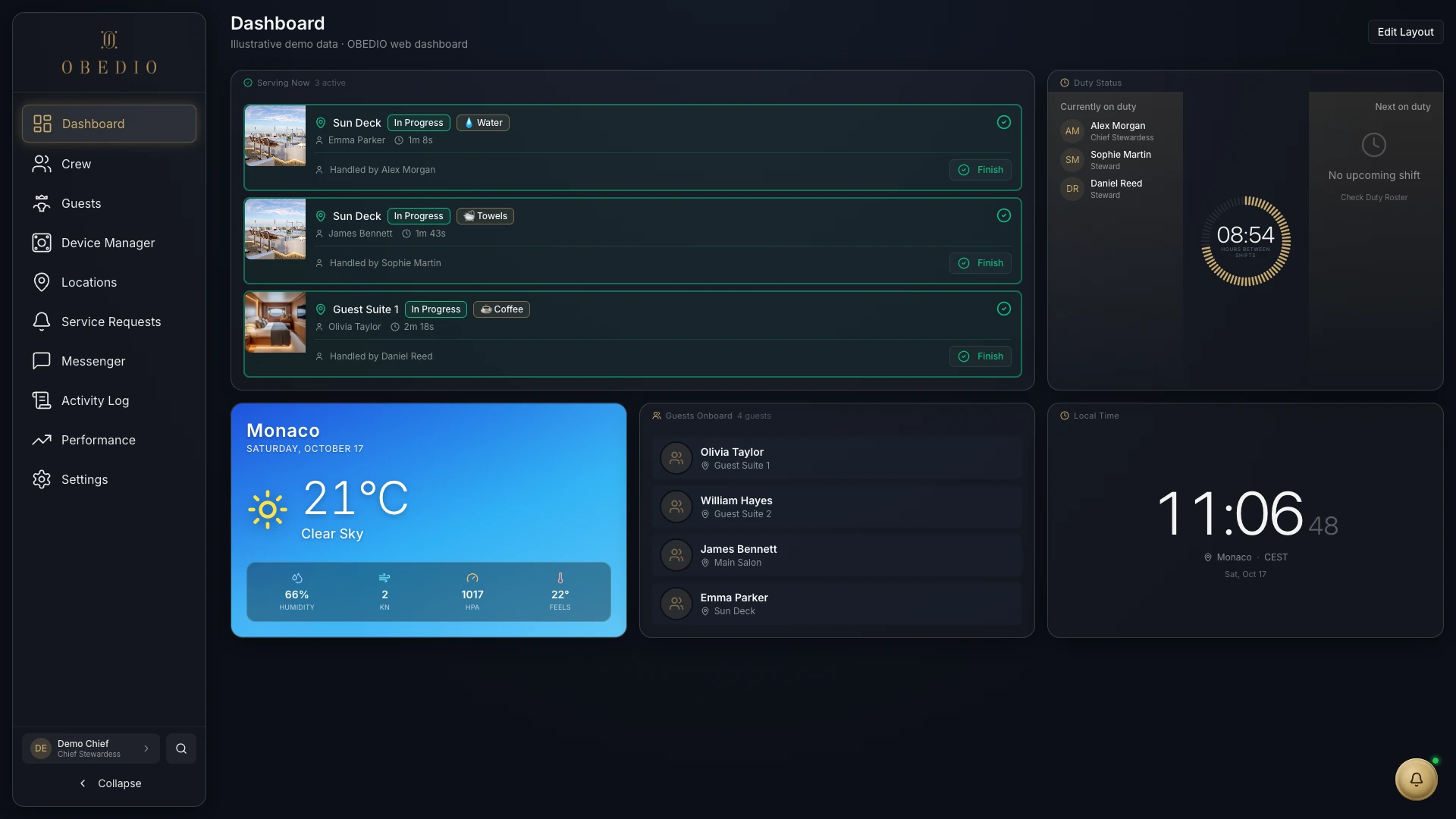
Keep an overview of requests and their status, so the team can see what is waiting and what is already being handled.
Arrange shifts and see who is on duty next. The duty roster helps direct service requests to the responsible crew.
Review button status and battery information as part of the service routine, rather than waiting for a guest to report a problem.
Open the dashboard in a browser on a tablet or computer connected to your OBEDIO installation.
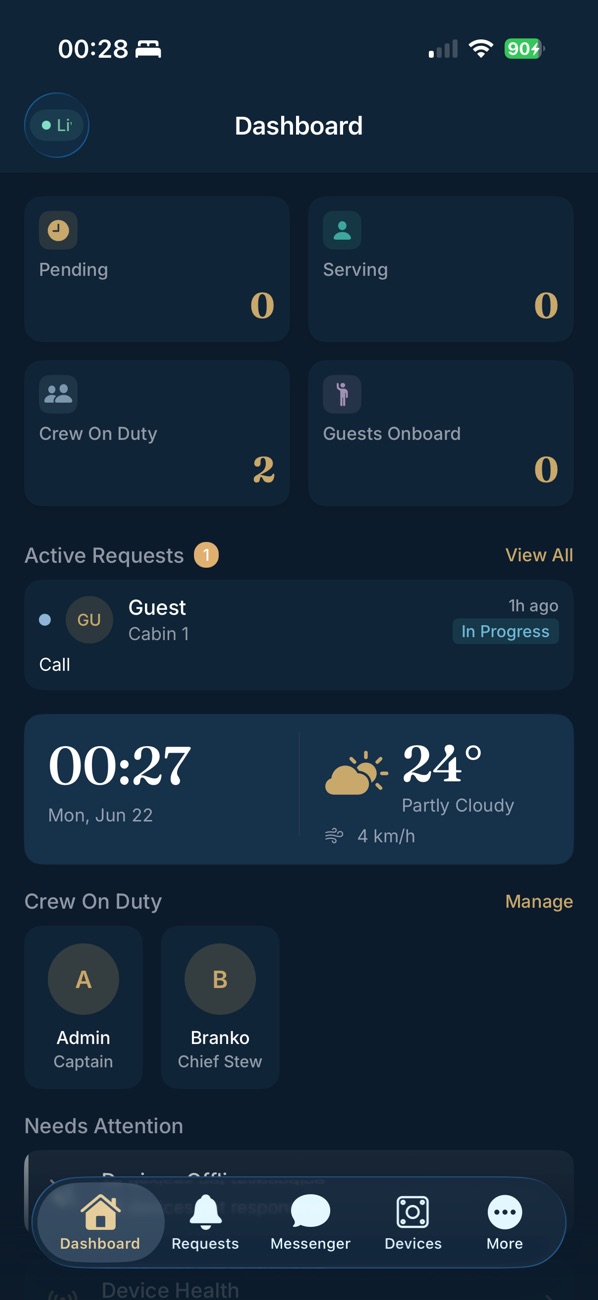
Read the request and guest context, accept or delegate, and follow service status from your phone. The Crew app keeps the detail close while you move around the yacht.
Crew apps available on the App Store and Google Play. An OBEDIO crew call system is required.
Read the request and guest context, accept or delegate, and keep track of service while moving around the yacht.
Receive requests on your wrist and respond while on the move. Available actions depend on the watch and app version.
Features and connectivity vary by device and installation. Apple Watch connectivity has additional internet requirements.
How the devices connectGuest preferences, dietary information and Do Not Disturb provide context for service. Information is useful when it has been entered and kept up to date.
Acceptance, delegation and crew messaging help keep responsibility clear. Unanswered requests can escalate according to the installation's configuration.
App interfaces shown for illustration. Device frames are illustrative; screens and available features can vary by version and installation.
See how a request reaches the crew, where processing runs, and how acceptance comes back to the guest.
A personal walkthrough of the button, Guest app and Crew tools, shaped around your yacht or property.
info@obedio.de